Computer Vision Real World Projects for Beginners: From Object Detection to Autonomous Navigation
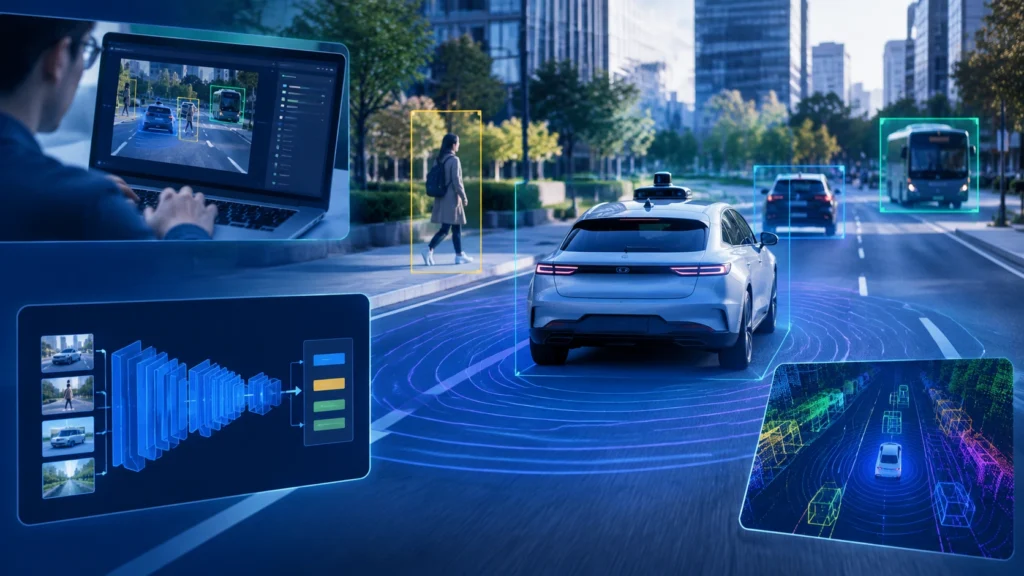
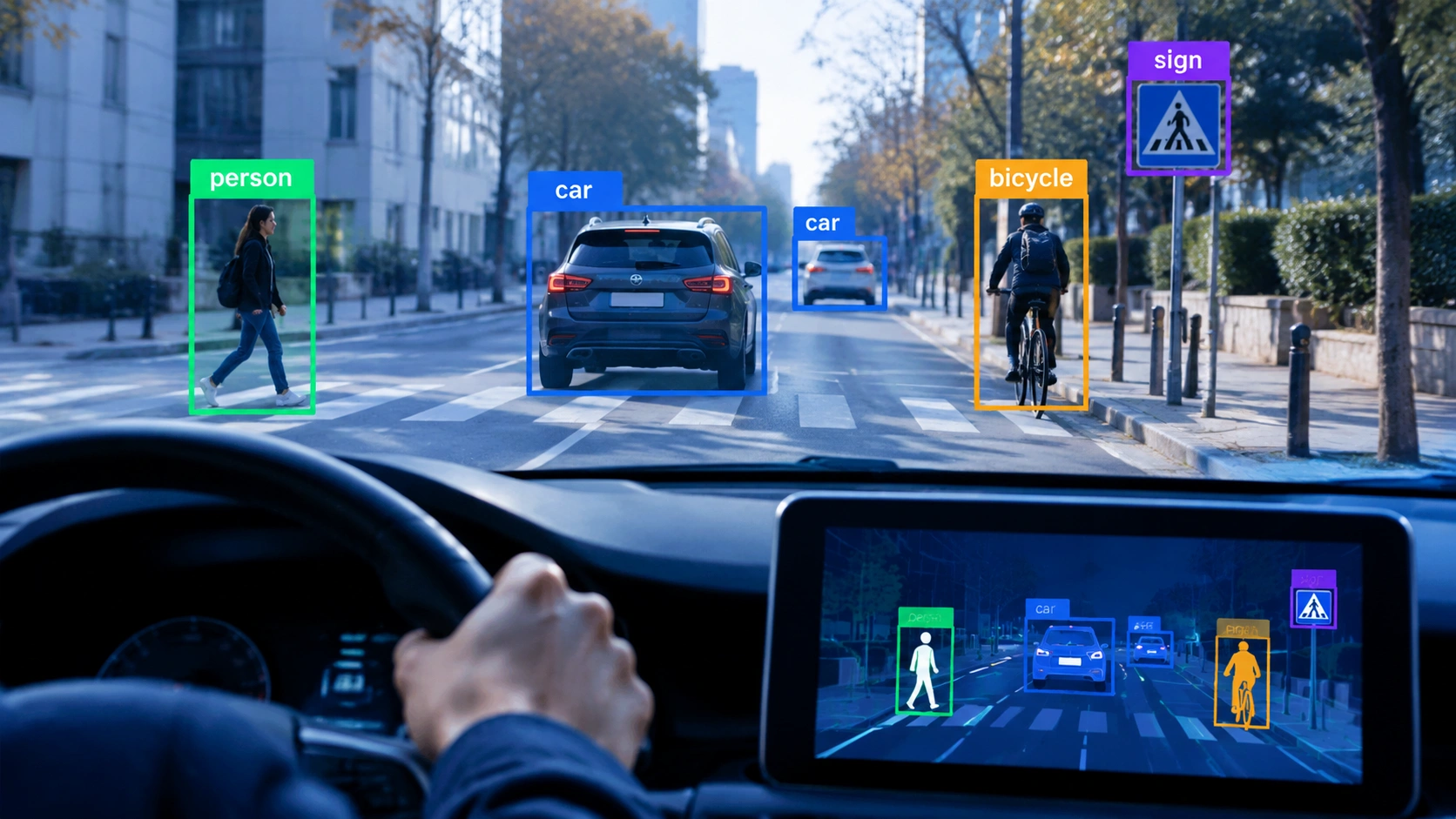
Artificial intelligence becomes tangible when you can point a camera at the world and have software explain what it sees. Computer vision, a core branch of AI, turns images and video into information you can act on. In this guide, you will explore computer vision real world projects for beginners that progress from classic object detection to autonomous navigation, using real datasets and practical workflows you can repeat on a laptop.
The goal is not to build a perfect system on the first try. The goal is to understand how machines learn to see, where data comes from, which tools are approachable, and how small projects stack into a portfolio that demonstrates real capability.
Why Start with Practical Computer Vision Projects
Practical projects help you see the full loop: data collection, labeling, model choice, training, evaluation, and deployment. You learn how to read metrics, how to handle mistakes, and how to turn a model into something useful. You also learn what is realistic to run on modest hardware, which matters when you are starting out.
Most importantly, working through real datasets builds intuition. You begin to notice how lighting, camera angle, and class imbalance affect performance. That intuition is what separates a hobby demo from a reliable system.
Core Concepts You Will Reuse Across Projects
- Images and labels: An image is a grid of pixel values. A label tells the model what is in the image or where it is located.
- Classification vs detection vs segmentation: Classification names what is present. Detection draws bounding boxes around objects. Segmentation outlines object shapes at the pixel level.
- Train, validation, and test splits: You train on one set, tune on another, and measure final performance on a held-out set to avoid overfitting.
- Data augmentation: You apply realistic changes like cropping, brightness shifts, and small rotations so the model generalizes better.
- Metrics: Accuracy is not enough. You will use precision, recall, mAP for detection, and IoU to understand where the model succeeds and fails.
Project 1: Object Detection with COCO and Pascal VOC
Object detection is a strong first project because it teaches you to locate objects in images, not just classify them. Two well-known datasets make this accessible:
- COCO (Common Objects in Context): Over 300,000 images and 80 common categories such as person, car, chair, and dog. It includes bounding box annotations and is widely supported by modern frameworks.
- Pascal VOC: A smaller dataset with 20 categories and bounding box annotations, useful when you want faster iteration on limited hardware.
A practical path is to start with a pretrained model and fine-tune it on a subset of COCO or Pascal VOC. This lets you see strong results without training from scratch. You will learn how to adjust confidence thresholds, interpret non-max suppression, and measure mean Average Precision.
For hardware, a laptop with a consumer GPU can run inference and even fine-tune smaller models. If you do not have a GPU, cloud notebooks are an affordable option for short training runs.
What to Try First
- Run inference on a few sample images and inspect detected classes and confidence scores.
- Fine-tune a lightweight detector on a small COCO subset and compare performance before and after fine-tuning.
- Test the model on images from your phone to see how real-world conditions change results.
Project 2: Traffic Sign Recognition with GTSRB
Traffic sign recognition is a focused classification project with clear practical value. The German Traffic Sign Recognition Benchmark (GTSRB) provides more than 50,000 labeled images across dozens of sign classes, with varied lighting and occlusion.
Start with a convolutional neural network or a lightweight vision model. Train on the official splits, then evaluate on the test set. You will quickly see how class imbalance and blur affect predictions, which pushes you to improve preprocessing and augmentation.
This project also introduces deployment thinking. Once your model performs well, you can export it to run on a Raspberry Pi or a phone, letting you test real-time classification on short video clips.
Skills You Will Build
- Image resizing, normalization, and color space choices for consistent input.
- Confusion matrix analysis to find which signs are confused and why.
- Model export and lightweight inference for edge devices.
Project 3: Pedestrian and Vehicle Detection for Safety Applications
Detecting pedestrians and vehicles moves you closer to real-world systems. The KITTI Vision Benchmark Suite offers street-level images with 2D and 3D bounding box annotations for cars, pedestrians, and cyclists. It is widely used in autonomous driving research, and its data is approachable for beginners who want to learn detection beyond toy examples.
You can train a detector on KITTI to understand how models handle partial occlusion, varying distances, and different weather conditions. This project naturally leads to discussions about recall for safety-critical systems and why false negatives matter more than false positives in some use cases.
Project 4: Lane and Road Layout Understanding
Lane detection is a step toward autonomous navigation. While many lane datasets exist, the BDD100K dataset from Berkeley provides a large and diverse set of driving scenes with lane annotations and driving attributes. You can start with segmentation models that predict lane pixels and then convert those pixels into simple lane curves.
This project teaches you how to move from pixel predictions to geometric reasoning. It also highlights the difference between perception and control: detecting a lane is not the same as deciding how to steer.
Project 5: Autonomous Navigation with AirSim and CARLA
Once you are comfortable with detection and segmentation, you can explore autonomous navigation in simulation. AirSim, built on Unreal Engine, and CARLA, an open-source driving simulator, provide realistic environments where you can test perception and planning together.
A simple starting point is lane following. You combine a perception model that identifies the road or lane with a basic controller that adjusts steering to stay centered. From there, you can add stop sign detection, traffic light recognition, and obstacle avoidance.
Simulation is valuable because it lets you fail safely and collect your own data. You can vary time of day, weather, and traffic density to stress-test your models without leaving your desk.
Progression Tips
- Begin with straight roads and clear markings before adding curves and intersections.
- Log predictions and control signals so you can review mistakes and refine your pipeline.
- Use simple rules first, then replace them with learned policies as your dataset grows.
A Repeatable Workflow for Beginners
Each project benefits from a consistent workflow. Start with a clear problem statement and a small baseline. Pick a dataset that is well-documented and widely used, so you can compare your results and find community guidance. Train a simple model, evaluate it on a held-out set, and inspect failures. Then iterate: improve data quality, adjust augmentation, and try a stronger model only when your data pipeline is solid.
Keep a project journal. Record what you changed, what improved, and what did not. Over time, this habit builds a personal reference that makes future projects faster and more reliable.
Tools and Libraries That Keep Things Simple
- PyTorch and torchvision: Clear APIs for datasets, transforms, and pretrained models.
- Ultralytics YOLO: A practical choice for quick detection training and inference.
- OpenCV: Essential for image processing, visualization, and video I/O.
- Roboflow: Helpful for dataset management, annotation, and export formats.
- Jupyter or Google Colab: Approachable environments for experimentation and sharing results.
Common Pitfalls and How to Avoid Them
- Overfitting: If training accuracy is high but validation accuracy is low, reduce model complexity or improve data diversity.
- Leaking test data: Always keep a clean test set that is never used for tuning.
- Ignoring class imbalance: Use class weights or resampling so rare classes are not ignored.
- Chasing state-of-the-art too early: A simple baseline teaches you more than a complex model you cannot debug.
From Projects to Portfolio
When you finish two or three projects, package them clearly. Write a short problem summary, describe the dataset, show key metrics, and include a few visual results. Explain what you would improve next. Employers and collaborators value clear reasoning and honest evaluation more than impressive but opaque results.
By progressing from object detection on COCO or Pascal VOC, through traffic sign classification with GTSRB, pedestrian and vehicle detection with KITTI, lane understanding with BDD100K, and finally autonomous navigation in AirSim or CARLA, you build a coherent story. You show that you can turn images into decisions, and that you understand the careful steps required to make those decisions reliable in the real world.